Which phones are supported? Do I need root?
Whiteline Phone Agent v0.4.0 requires Android 8.0+ (API 26). It uses Android AccessibilityService for taps, swipes, text entry, and navigation. Root access, an unlocked bootloader, and a tethered USB/ADB cable are not required.
How do I install the APK and check it is the release file?
Use the APK download above, allow installation from your browser when prompted, and open the installer. Compare the file's SHA-256 with the checksum shown in the download hub. The package is com.whiteline.controller. Revoke your browser's install permission after installation if you no longer need it.
Why does the app need Accessibility permission?
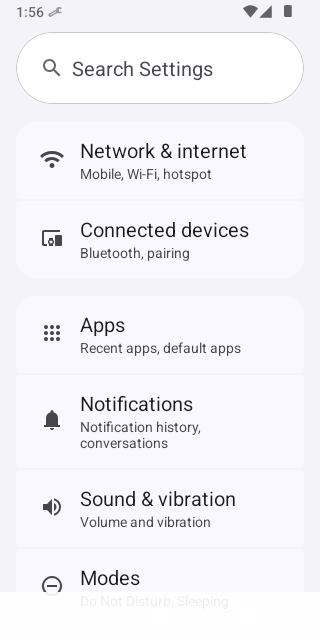
AccessibilityService reads the active UI hierarchy and executes device actions. Enable Whiteline Phone Agent in Android Settings under Accessibility and installed services. If Android blocks a sideloaded service, review the app's restricted settings in App info. Menu names vary by Android version and device manufacturer.
How do I connect my phone to Antigravity chat?
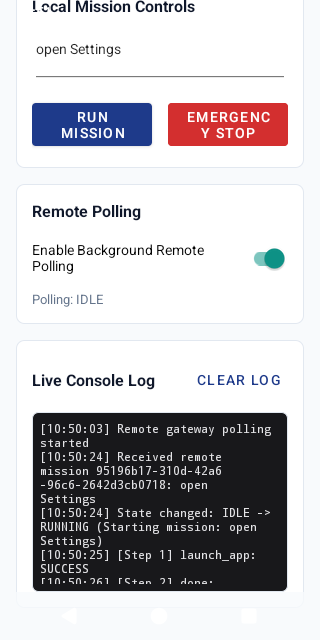
Install the app first. Enter your own Railway Cloud Gateway HTTPS address in the pairing builder, then open the whiteline://pair link on your Android phone or scan its QR. Review the gateway in the app. The Antigravity whq-phone CLI provides run, screen, apps, status, and cancel commands. The placeholder gateway is not a live connection.
What should I check if pairing does not work?
Confirm that the APK is installed, your phone can reach your gateway over HTTPS, and the address belongs to your deployment. Open the link on the Android device with Whiteline Phone Agent installed. Check the gateway's /ui monitor and use whq-phone status in Antigravity. Regenerate the link after correcting the gateway address.
How do I stop a mission, and does the APK include credentials?
Use the on-screen Emergency Stop to interrupt a mission immediately, or send whq-phone cancel from Antigravity. Missions also cancel automatically on timeout, and SafetyPolicyEngine enforces action boundaries. The release APK contains no embedded API keys or tokens. The gateway relays missions and compressed JPEG frames over HTTPS, so use your own deployment and review what is visible on your phone before starting.